Works better in the app
2 free renders of your own car — full quality, no corner mark.
Rim Visualizer — Try Rim Styles, Colors & Finishes on Your Car
Gloss black or bronze? Machined face or gunmetal? Upload a photo of your car and a photo of the rims you're eyeing — see the combination on your car before you spend a cent.
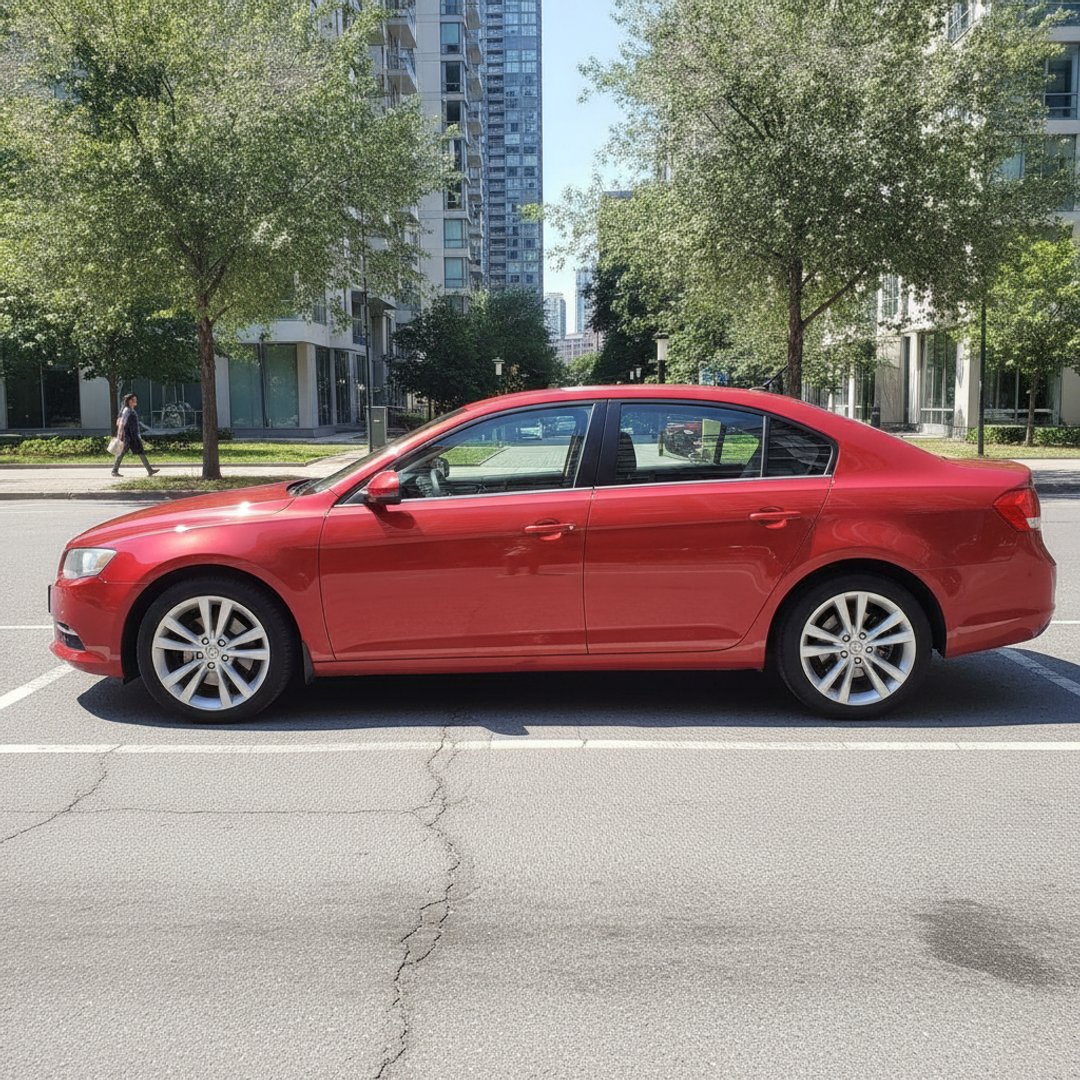
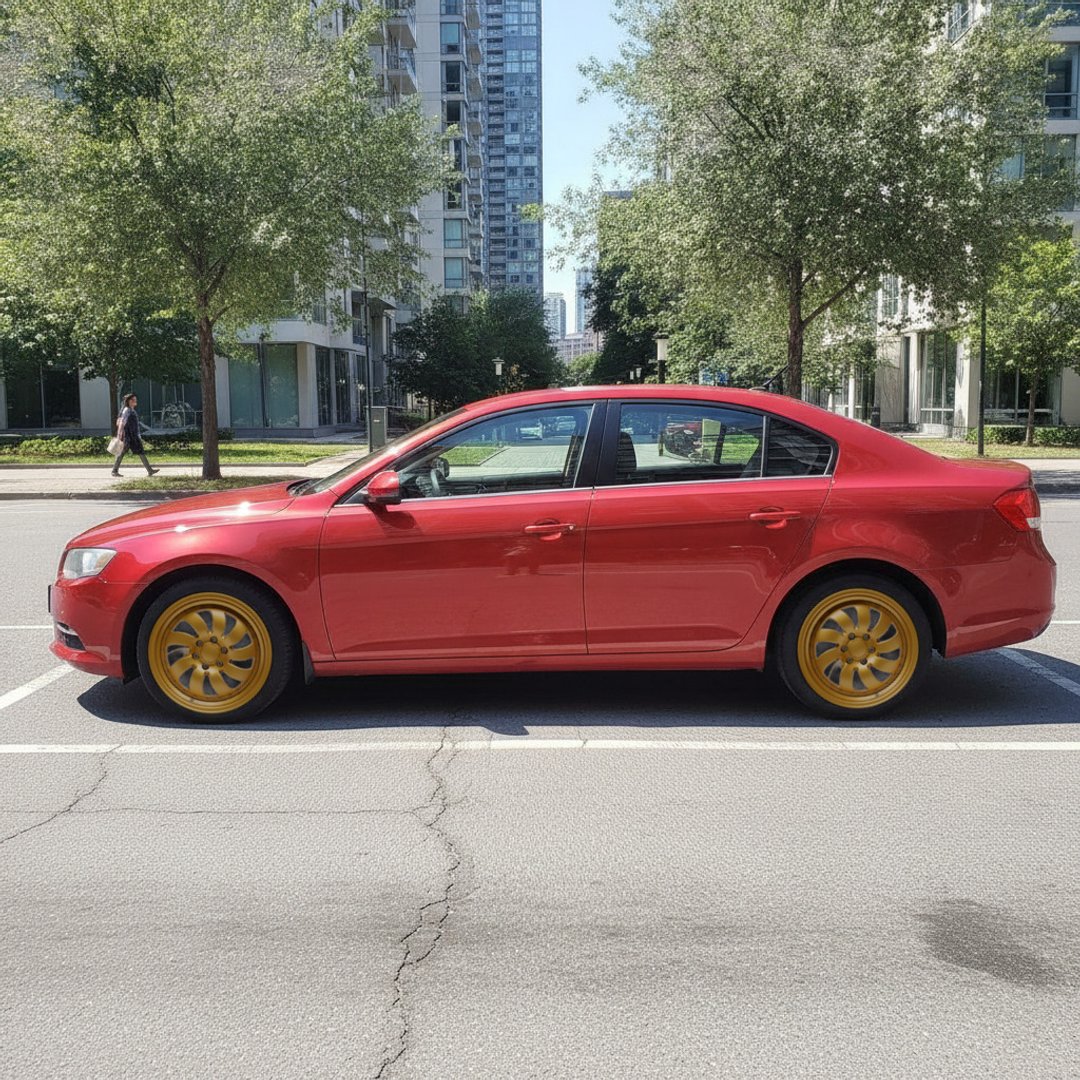
Drag the handle — a real render from this tool. Same photo, only the rims changed; body, color and background stay exactly as photographed.
- 100% free
- No signup
- Any rim photo
- Files never stored
Did this tool work well? Rate it:
Thanks for your feedback!
Settle the finish debate with your own car
Most people shopping for rims have already narrowed it to a style — the real argument is finish and color. Gloss black is the default that suits almost everything but can vanish against dark paint. Bronze signals intent and works surprisingly well on whites, greys and blues. Gunmetal is the quiet middle ground; a machined face adds brightness without going full chrome; chrome itself is a commitment. Forum threads and Instagram builds only show these choices on someone else's car, in someone else's light. Rendering the actual rim photo on your actual photo ends the debate faster than any thread — and if you're weighing a staggered setup, the render also shows how deeper rears read from a three-quarter angle.
What actually changes how rims look on a car
- Diameter vs sidewall, not diameter alone. Going from 17″ to 19″ mostly swaps tire sidewall for rim face — the arch fills the same, but far more of it is metal. That's what makes a car look "planted", and also what makes it ride harder.
- Finish against body color. Contrast does the work: dark rims pop on light paint, bright or machined faces pop on dark paint. Matching a rim color to your paint (bronze on brown, silver on silver) tends to blur the wheels into the body.
- Spoke density and lip depth. Fewer, thicker spokes read aggressive; many thin spokes read elegant; a deep lip adds visual width even at the same size. These details survive in the render because it uses the real rim photo, not a generic stand-in.
- Offset and width change stance — how flush the rim sits to the fender — but a photo render approximates this rather than measures it. Which leads to the important caveat below.
Style, not fitment. This tool answers "will it look right?", never "will it fit?". Bolt pattern, offset, rim width and tire size must be checked against your car's specs separately — and keep the overall tire diameter within the 3% rule (rim + sidewall within ~3% of stock) so your speedometer, ABS and fenders stay happy.
More free car tools
Free app · Android & iPhone
Car Mods AI: Wheels & Wraps
Wheels, wraps, tint and rim colors on your own car photo — your car stays exactly your car. Camera-to-render in seconds, and you start with 2 free renders, full quality, no corner mark.
| In the app | Android | iPhone |
|---|---|---|
| Wheel swap — any design | Yes | Yes |
| Wrap & paint colour | Yes | Yes |
| Background scenes | Yes | Yes |
| Window tint | Yes | Yes |
| Rim colour | Yes | Yes |
| Licence-plate blur | Yes | next update |
Frequently asked questions
- What rim color looks best on a white or black car?
- On a white car, dark rims carry the contrast — gloss black is the safe pick, bronze reads warmer and more deliberate, gunmetal sits between the two. On a black car it flips: a machined face, polished lip or chrome keeps the wheels from disappearing into the body, while black-on-black works only if the rim design itself is bold. That said, rules of thumb lose to seeing it — render two finishes on your own car and the answer is usually obvious.
- How do I see rims on my car before buying?
- Take a side or front three-quarter photo of your car, grab a photo of the rims — from the shop listing, a forum post or a screenshot — and upload both above. The AI renders the rims on your actual car in about 10–15 seconds. Nothing else about the car changes, so you're comparing the rims, not two different renderings.
- What is the 3% rule for tires?
- When you change rim size, the overall tire diameter (rim plus tire sidewall) should stay within about 3% of stock. Beyond that your speedometer reads wrong, ABS and traction control get miscalibrated data, and the tire can rub the fenders. Bigger rim means shorter sidewall to compensate — a tire size calculator will confirm the exact combination before you order.
- Do bigger rims look better?
- Usually yes, up to a point — a larger diameter with less sidewall fills the wheel arch and sharpens the stance. The honest trade-off: thinner sidewalls ride harder, transmit more road noise, and are easier to crack on potholes. Many cars look best one or two inches over stock; render both sizes if you can find photos of the same design in each, and let your eyes and your roads decide.
- Is the rim visualizer free?
- Yes — free, no signup, for 5 renders a day per visitor. Need more? 10 more renders are €2.99 with Apple Pay, Google Pay or card, and a render that fails never uses one. Renders carry a small corner mark. Your photos are processed in memory and never stored.
- Will it change my car's paint or body?
- No. The render keeps your paint, body lines, badges, plate and background exactly as photographed — only the rims change. That's the whole point: if the car around the rims changed too, you couldn't trust the comparison.
- Can I compare different finishes of the same rim design?
- Yes — find a photo of the design in each finish (most manufacturer and shop sites show gloss black, gunmetal and machined variants of the same model) and run a render with each one. Download the results and compare them side by side against your car's actual body color.