Toimii paremmin sovelluksessa
2 ilmaista renderöintiä omasta autostasi — täysi laatu, ei kulmamerkkiä.
Wheel Visualizer — See Any Wheels on Your Car
Upload your car and a straight-on photo of the wheel. We fit it to your actual car — same body, same color, same background. Only the wheels change.
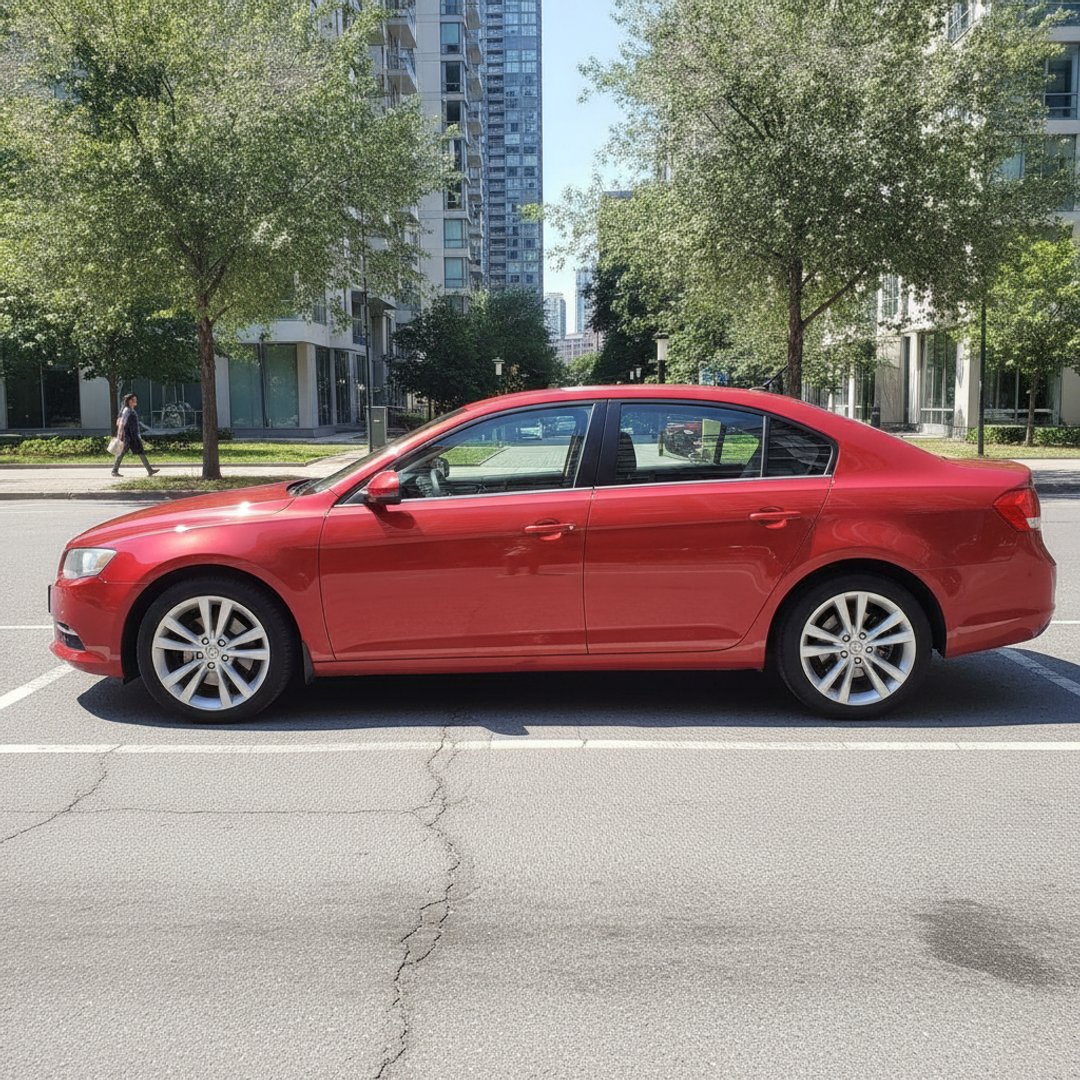
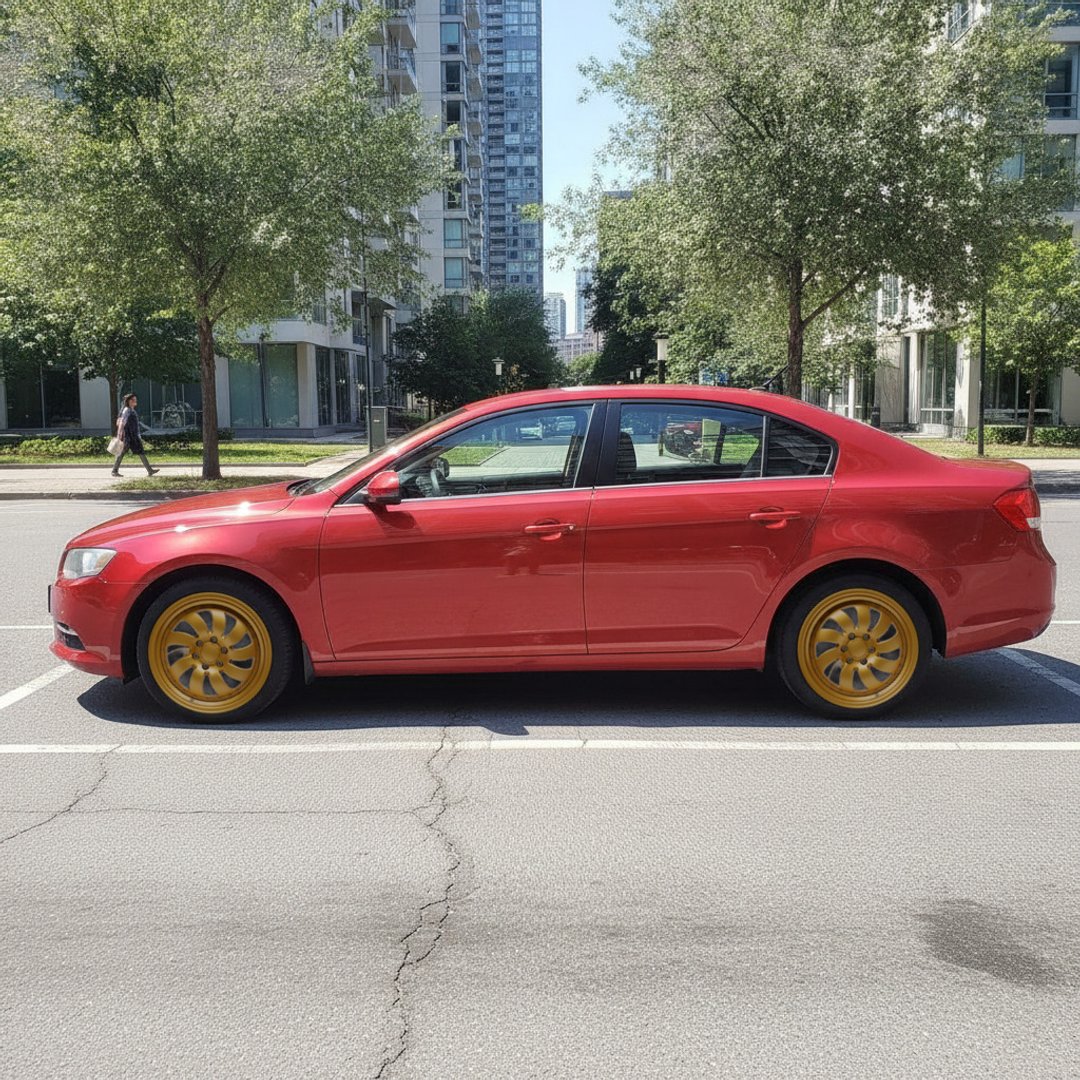
Drag the handle — a real render from this tool. Same photo, only the wheels changed; the car, light and background are untouched by construction.
- 100% free
- No signup
- Any wheel design
- Files never stored
Toimiko työkalu hyvin? Arvioi se:
Kiitos palautteestasi!
Arvosana 2.1/5, 10 käyttäjää
Put rims on your car picture — before you spend a cent
A set of wheels is one of the most expensive style decisions you'll make on a car — and the one most people buy blind. Retailer visualizers show a generic 3D model of your car's shape, not your car. Most AI apps limit you to a couple dozen built-in wheels and quietly re-imagine the rest of your car in the process. This tool does one thing differently: you bring any wheel photo — from a marketplace listing, a wheel shop, a screenshot — and the render keeps your actual car exactly as photographed. What you see is your car, not an artist's impression of it.
How to get an accurate render
- Shoot your car from the side or front three-quarter — both visible wheels clear, daylight, whole car in frame.
- Grab the wheel design — a straight-on photo or screenshot of a single wheel carries the most design detail.
- Render and compare — download the result, try another design, and compare side by side before you buy anything.
More free car tools
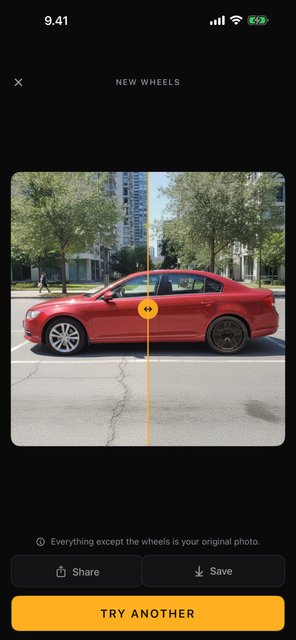
Ilmainen sovellus · Android & iPhone
Car Mods AI: Wheels & Wraps
Vanteet, teippaukset, tummennukset ja vannevärit omaan autokuvaasi — autosi pysyy täsmälleen autonasi. Kamerasta renderöintiin sekunneissa, ja aloitat 2 ilmaisella renderöinnillä — täysi laatu, ei kulmamerkkiä.
| Sovelluksessa | Android | iPhone |
|---|---|---|
| Vanteenvaihto — mikä tahansa malli | Kyllä | Kyllä |
| Teippaus & maaliväri | Kyllä | Kyllä |
| Taustamaisemat | Kyllä | Kyllä |
| Ikkunoiden tummennus | Kyllä | Kyllä |
| Vanteiden väri | Kyllä | Kyllä |
| Rekisterikilven sumennus | Kyllä | tulossa |
Frequently asked questions
- How does the wheel visualizer work?
- Upload a photo of your car and a straight-on photo of the wheel you want — a shop product shot or a screenshot of one. We measure the wheel and fit it to each of your car's wheels, matched to size and perspective. It takes a few seconds.
- Can I use any wheel, or only wheels from a catalog?
- Any wheel design — that's the point, where most visualizers limit you to a small built-in catalog. What we do need is the right kind of photo: the wheel shot straight on against a plain background, like the product shots on a wheel shop's site. A wheel photographed on a car or at an angle can't be measured accurately, and we'll tell you so rather than render something wrong.
- Will it change anything else about my car?
- No — that's our whole approach. The render keeps your car's body, color, badges, plate and background; only the wheels change. If the AI can't do that faithfully for your photo, it's better that you know before you rely on it — not after.
- Is the wheel visualizer free?
- Yes — free with no signup, for 5 renders a day per visitor. Need more? 10 more renders are €2.99 with Apple Pay, Google Pay or card, and a render that fails never uses one. Renders carry a small corner mark. Your photos are processed in memory and never stored.
- What photo works best?
- For your car: a side or front three-quarter shot in daylight with both visible wheels clear of obstructions. For the wheel: it must be a straight-on shot of a single wheel on a plain background — that is what lets us measure it.
- Does it tell me if the wheels will actually fit?
- No — this shows style, not fitment. Bolt pattern, offset and tire size still need checking against your car's specs before you buy. Treat the render as a styling preview, not a fitment guarantee.
- Is this the same as a rim visualizer?
- Same tool — some people say wheels, some say rims. If you're deciding between finishes and colors on a style you've picked, our rim visualizer page covers that angle.